AI VIRTUAL TRY-ON FOR SHOPIFY

See the complete look before the shopper checks out.

10.1 brings AI-powered virtual try-on to fashion storefronts, so shoppers can combine products, preview a coordinated look on a photo, and shop the pieces they choose.

Built for Shopify fashion storefronts.

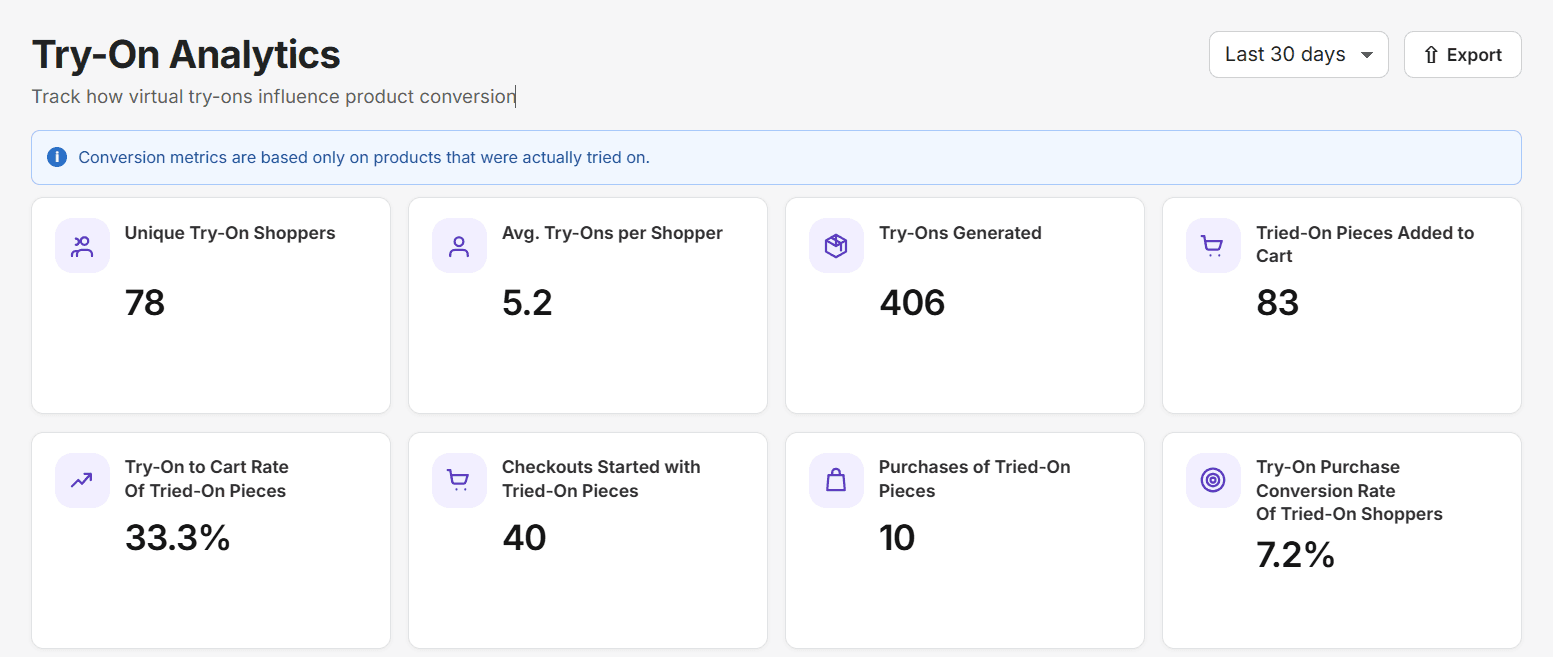
The shopper photo before the complete-look virtual try-on.Before
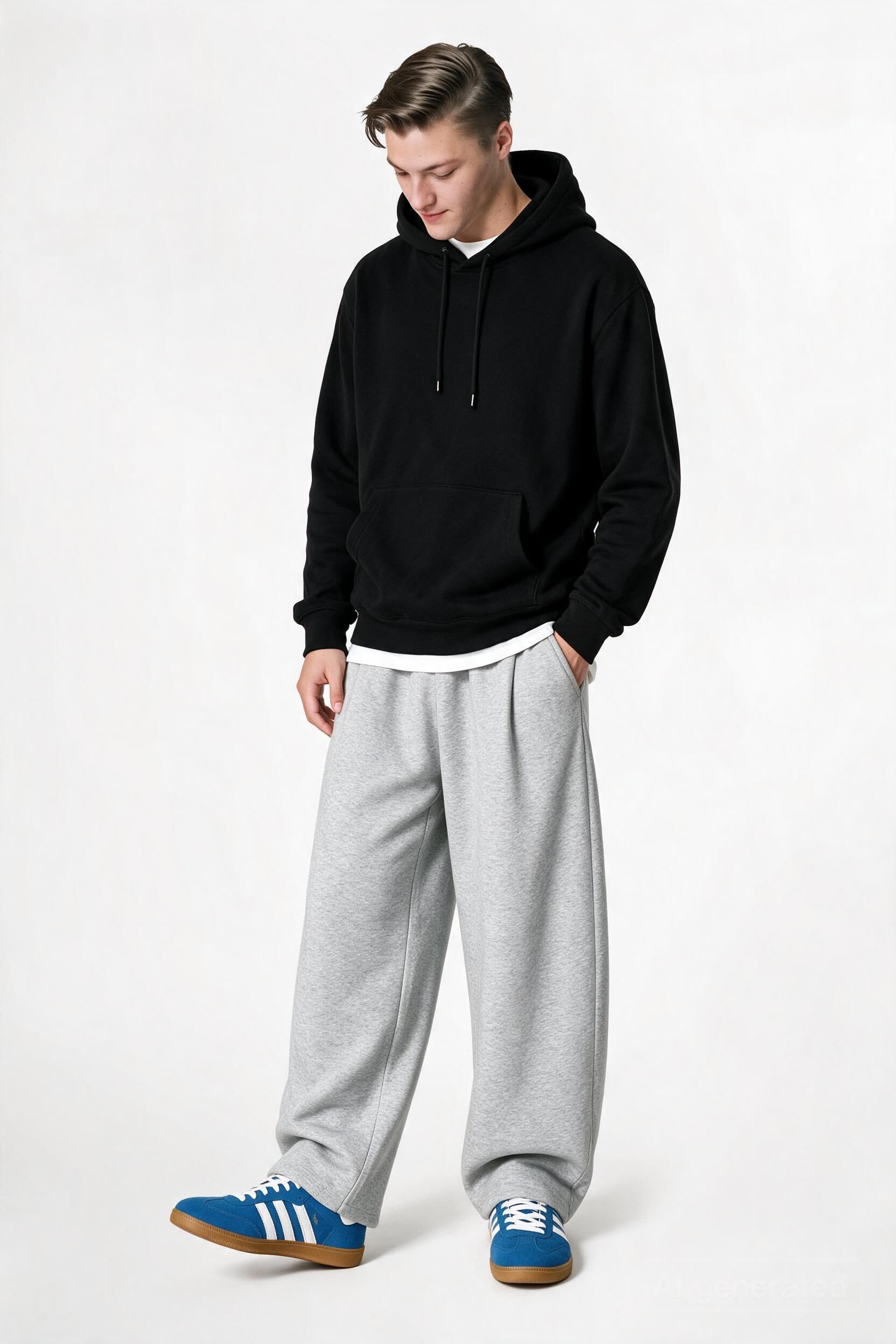
A shopper wearing a black hoodie, gray joggers, and blue sneakers in a generated complete-look preview.After try-on
Choose the pieces. Create the look. Shop what works together.

A more complete way to try on

From a product page to a finished look, 10.1 keeps the shopper’s photo, selected pieces, and try-on result in one focused flow.

  1. Open virtual try-on

    Start from the product page.

    The shopper opens Virtual Try-On directly where they are already discovering a product.

  2. Upload or use a saved photo

    Use a new photo or a saved photo.

    Shoppers can upload a front photo or reuse a saved photo when returning for another look.

  3. Select products

    Choose the pieces.

    The shopper browses the available categories and selects the products they want to see together.

  4. Create the complete look

    Create Look.

    Selected pieces are combined into one coordinated virtual look.

  5. Review the result

    Review the try-on result.

    The shopper can compare the result with the original photo and expand the image for a closer look.

  6. Shop the selected products

    Shop this look.

    The result keeps the selected products close by, with options to add supported pieces to the cart.

One photo. Multiple pieces. A clearer view of the outfit together.

Create a complete look
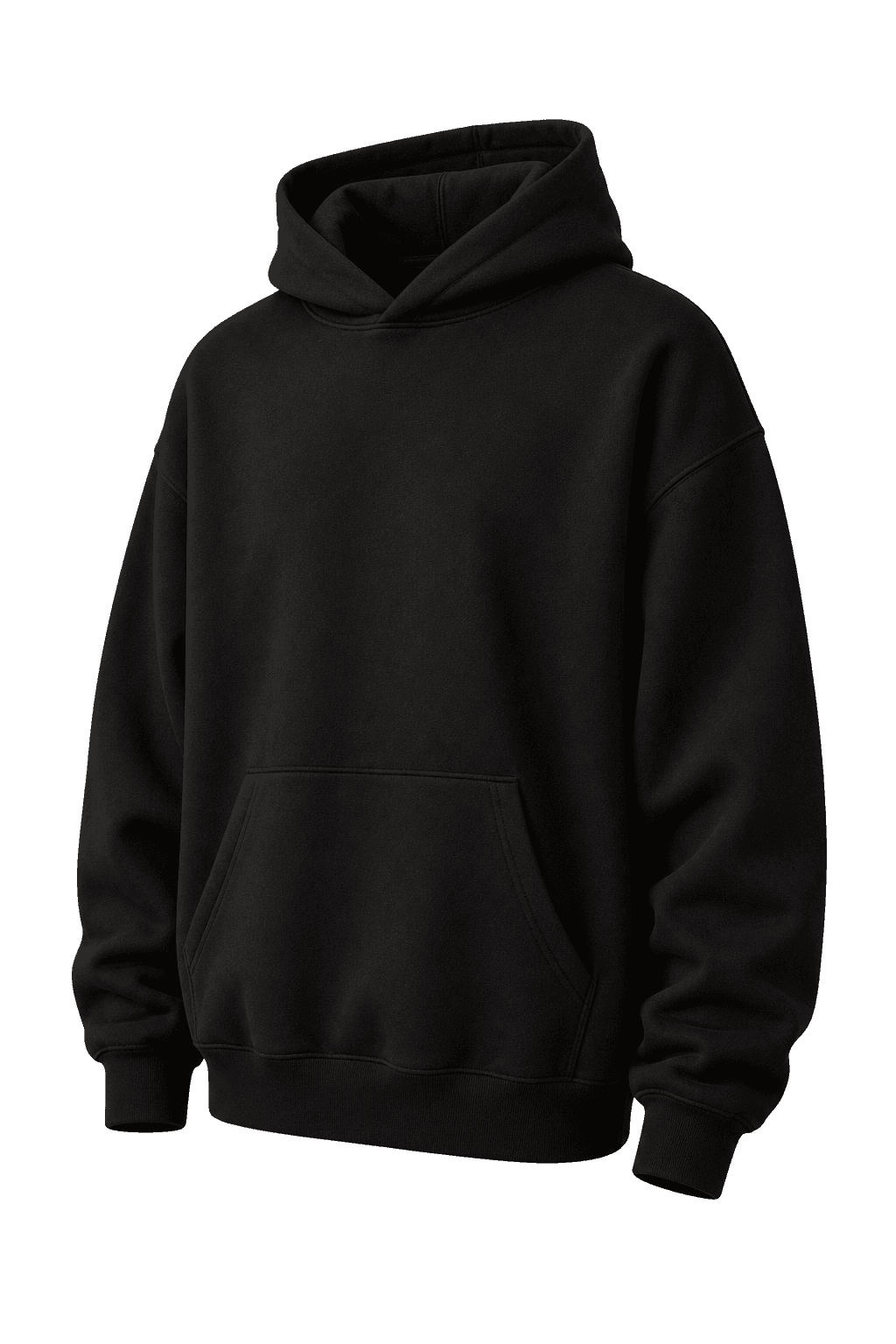
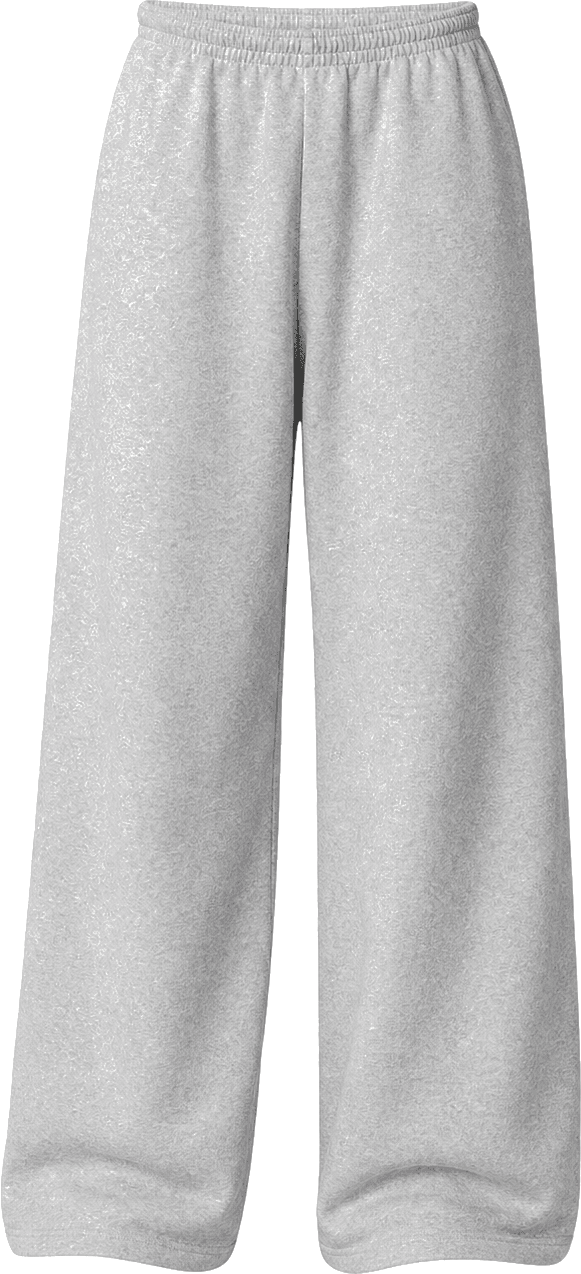
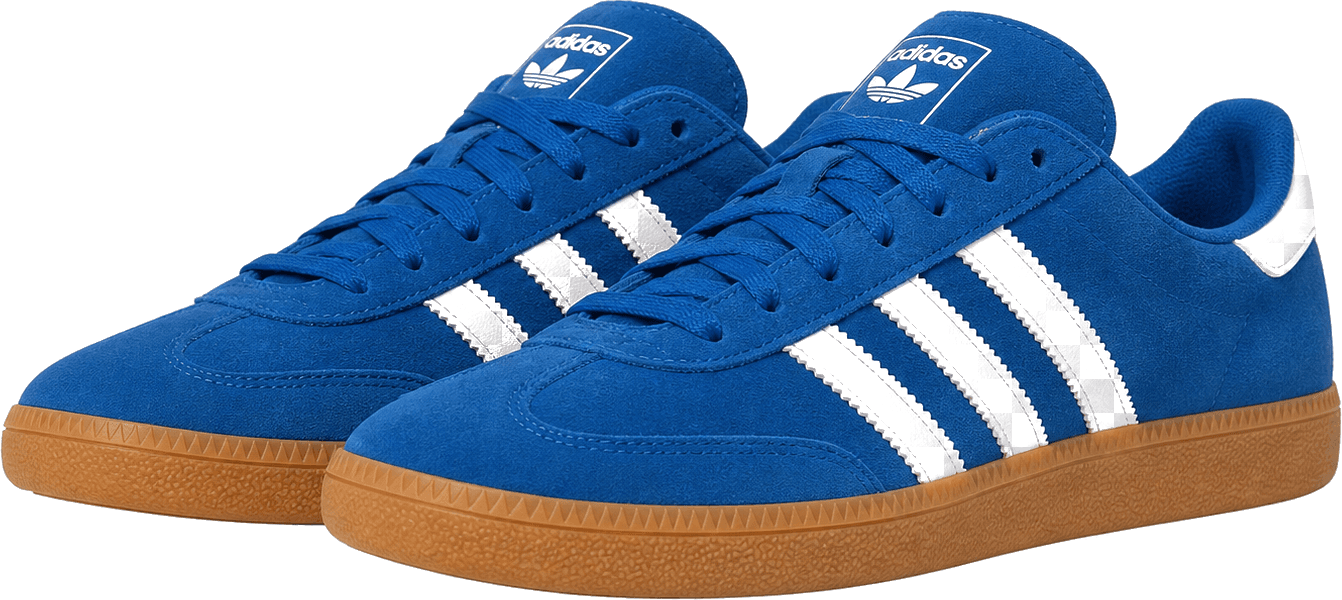
Generated complete-look preview showing a black hoodie, gray joggers, and blue sneakers.
Black hoodie
Hoodie
Gray joggers
Joggers
Blue sneakers
Sneakers
Supported categories
  • Tops
  • Bottoms
  • One Piece
  • Shoes

Try on the look, not just one piece

A top rarely exists in isolation. 10.1 lets shoppers select products from multiple supported categories and preview those pieces as one coordinated look.

They can explore Tops, Bottoms, One Piece, and Shoes together when those categories are available in the merchant’s catalog. The result helps shoppers discover products in context and move from outfit creation toward purchase.

  • Select multiple products from supported categories.
  • Combine pieces into a coordinated complete look.
  • Explore products together instead of evaluating each item alone.
  • Keep the selected products beside the generated result.
  • Add supported pieces from the look to the cart.

When One Piece is enabled on the storefront, shoppers can select a One Piece alongside Tops and Bottoms. Shoes remain available as an additional option.

See complete looks in action
See what shoppers do after try-on

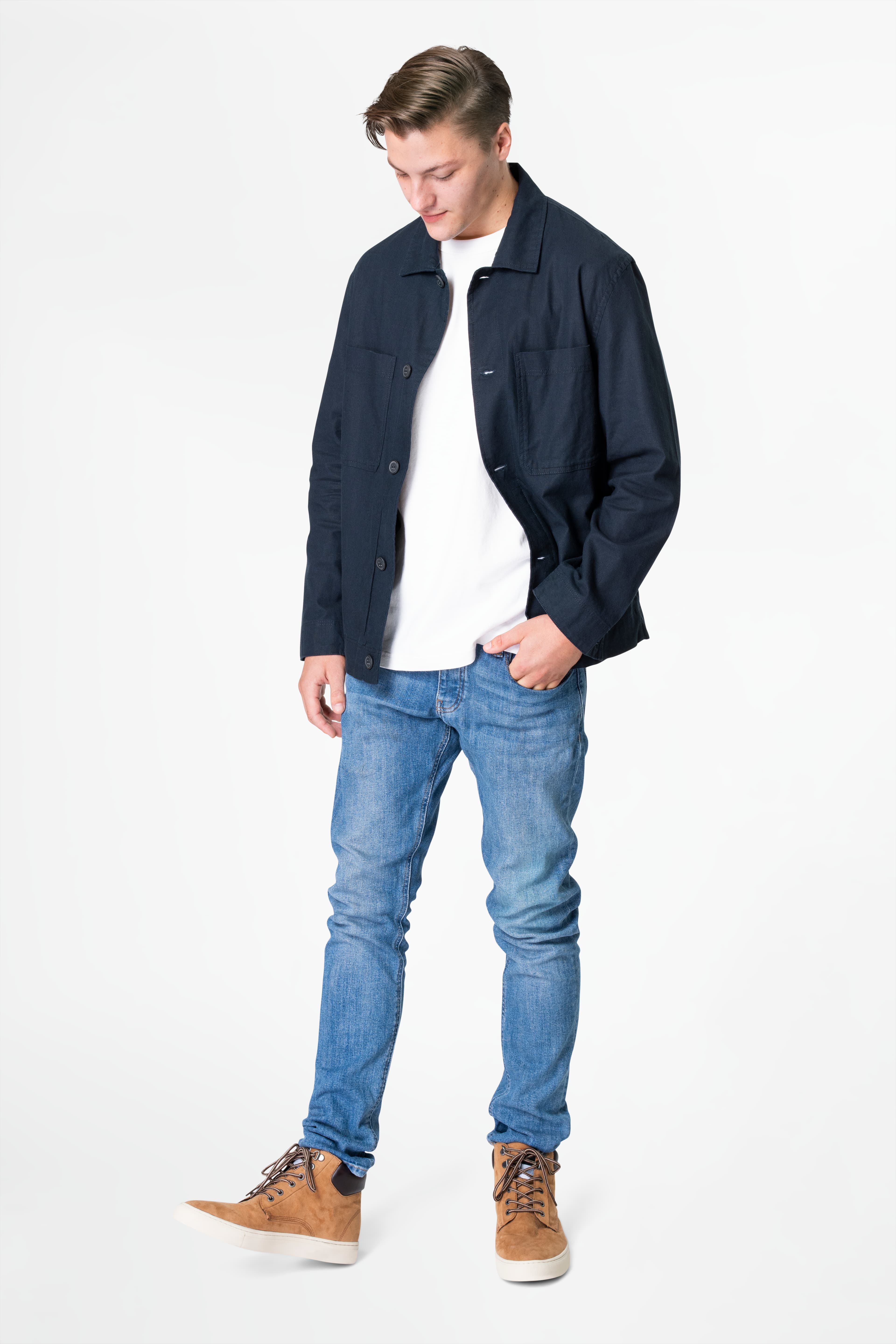
Try-On Analytics connects completed virtual try-ons with product activity, so merchants can review interest in individual products and follow the shopper journey from try-on to cart, checkout, and purchase.

Analytics dashboard showing try-on shoppers, generated try-ons, cart actions, checkouts, purchases, and conversion rates.

Conversion metrics are based only on products that were actually tried on.

Understand which tried-on products moved toward cart, checkout, and purchase activity. These metrics describe observed activity in the selected range; they are not promises of conversion performance.

Metrics that describe observed activity

Review the shopper and product signals available in the selected date range.

Try-On Analytics metric definitions
MetricWhat it measures
Unique Try-On ShoppersThe number of distinct shoppers represented in the selected date range.
Avg. Try-Ons per ShopperThe average number of completed try-ons per distinct shopper.
Try-Ons GeneratedThe number of completed try-on jobs in the selected date range.
Tried-On Pieces Added to CartThe quantity of tried-on pieces added to cart.
Try-On to Cart RateThe share of tried-on shoppers who added a tried-on piece to cart.
Checkouts Started with Tried-On PiecesThe number of checkout events associated with tried-on pieces.
Purchases of Tried-On PiecesThe quantity of purchased pieces associated with tried-on products.
Try-On Purchase Conversion RateThe share of tried-on shoppers associated with a purchase of a tried-on piece.

Products by Try-Ons

See which products appeared most often in completed looks.

Sort: Try-ons · Product name

Product · Product type · Try-ons

Make product discovery more interactive

  • Help shoppers explore a complete outfit instead of judging one product in isolation.
  • Bring cross-category discovery into the product-page experience.
  • Create more natural opportunities to surface complementary products.
  • Give shoppers a visual way to engage with the catalog.
  • See which products attract try-on interest.
  • Understand actions that follow a try-on, including cart, checkout, and purchase activity.
  • Add a differentiated, image-led experience to the storefront.

10.1 provides visual product previews and activity insights. It does not guarantee conversion, revenue, average order value, retention, or return-rate improvement.

Set up the storefront experience with a clear path

  1. Install or connect 10.1

    Add 10.1 to the Shopify store and open the embedded merchant dashboard.

  2. Organize eligible products

    Sync the catalog, review automatic category suggestions, move exceptions, hide categories when needed, and exclude products that should not be offered for try-on.

  3. Enable the storefront experience

    Add or enable the Virtual Try-On app block through Shopify’s Theme App Embed settings.

  4. Let shoppers create looks

    Shoppers upload a photo or use a saved photo, select supported products, create a complete look, and review the generated try-on result.

  5. Review activity in analytics

    Use Try-On Analytics to review completed try-ons, product interest, cart activity, checkout activity, and purchase activity associated with tried-on pieces.

Choose the plan that fits your storefront

Pricing below reflects the current application configuration. Confirm the final public presentation in Shopify-managed pricing before publishing.

Free

Free

Free forever

10 AI try-ons every 30 days

  • AI virtual try-on storefront widget
  • Single-garment virtual try-on
  • Saved shopper photo profiles
  • Basic widget customization
Overage
Included only; the Free plan stops at its included allowance.
Support
Basic widget customization

Free forever. Try-ons reset at the beginning of each usage cycle, unused try-ons do not roll over, and no credit card is required.

Launch

$29.99

Every 30 days

200 AI try-ons every 30 days

  • Approximately $0.15 per try-on
  • Single- and multi-piece outfit try-on
  • Saved shopper photo profiles
  • Usage tracking
  • Standard email support
Overage
$0.15 per additional successful try-on when additional usage is enabled.
Support
Standard email support

$29.99 USD every 30 days. Includes 200 try-ons per billing cycle. Additional successful try-ons are billed at $0.15 each. Usage resets each billing cycle, and unused try-ons do not roll over.

Momentum

$59.99

Every 30 days

500 AI try-ons every 30 days

  • Approximately $0.12 per try-on
  • Everything included in Launch
  • Single- and multi-piece outfit try-on
  • Usage dashboard
  • Priority email support
Overage
$0.12 per additional successful try-on when additional usage is enabled.
Support
Priority email support

$59.99 USD every 30 days. Includes 500 try-ons per billing cycle. Additional successful try-ons are billed at $0.12 each. Usage resets each billing cycle, and unused try-ons do not roll over.

Scale

$99.99

Every 30 days

1,000 AI try-ons every 30 days

  • Approximately $0.10 per try-on
  • Everything included in Momentum
  • Built for higher-traffic fashion stores
  • Usage dashboard
  • Priority onboarding and support
Overage
$0.10 per additional successful try-on when additional usage is enabled.
Support
Priority onboarding and support

$99.99 USD every 30 days. Includes 1,000 try-ons per billing cycle. Additional successful try-ons are billed at $0.10 each. Usage resets each billing cycle, and unused try-ons do not roll over.

Pricing rules

  • One try-on is counted when one completed AI try-on image is successfully generated.
  • Failed generations caused by a system error are not deducted from the merchant’s allowance.
  • Paid-plan overage is opt-in through the billing page and can be limited by the merchant.
  • Unused included try-ons do not roll over.
  • Billing resets every 30 days, according to the current application configuration.

Publication checks

  • Pricing reflects the current application configuration. Billing and plan changes are managed through Shopify.

Questions merchants and shoppers ask

What is 10.1?

10.1 is an AI-powered virtual try-on app for Shopify fashion and apparel merchants. It lets shoppers use a photo to preview selected products and create a complete look from supported catalog categories.

How does virtual try-on work?

A shopper opens Virtual Try-On from a product page, uploads a front photo or uses a saved photo, selects available products, and creates a look. 10.1 then returns a generated visual preview for the shopper to review.

Can shoppers try on multiple products?

Yes. Shoppers can select multiple supported products, with one product per available category, and combine them into a complete look. When enabled, One Piece can be selected alongside Tops and Bottoms, with Shoes available as an additional option.

Which product categories are supported?

The current core preview categories are Tops, Bottoms, One Piece, and Shoes. Category availability depends on the merchant’s catalog setup and storefront visibility settings.

Do shoppers need to upload a photo every time?

No. A shopper can use a saved photo when the saved-photo option is available. They can also upload a new photo whenever they prefer.

Can merchants control which products are available?

Yes. Merchants can sync products, review automatic category suggestions, move products between categories, rename fixed preview categories, hide categories from the storefront, review unassigned products, and exclude products from try-on.

What are unassigned products?

Unassigned products are catalog products that still need a category assignment. They remain visible in Catalog Setup until the merchant moves them into a supported category or excludes them.

What are excluded products?

Excluded products are products the merchant has deliberately marked as unavailable for virtual try-on. They remain manageable in Catalog Setup but are not offered in the shopper-facing selector.

Can shoppers add products from a generated look to their cart?

Supported products in the generated look can be added to the cart individually or together through Add all to cart. Cart availability still depends on the product being available in Shopify.

How long does a try-on take?

The current storefront experience tells shoppers that processing usually takes around 60 seconds and shows progress while the result is being prepared. Actual completion time can vary with image processing and queue conditions.

TODO — Confirm before publishing: final public timing language and whether a published service-level expectation is approved.

Does 10.1 provide size recommendations?

No. 10.1 is positioned as a visual preview experience. It does not provide size recommendations, body measurements, exact-fit predictions, or guaranteed fit accuracy.

What analytics can merchants view?

Merchants can view unique try-on shoppers, average try-ons per shopper, completed try-ons, tried-on pieces added to cart, try-on-to-cart rate, checkouts started with tried-on pieces, purchases of tried-on pieces, purchase conversion rate, try-on performance over time, and products by try-ons.

How is usage counted?

One try-on is counted when one completed AI try-on image is successfully generated. Failed generations caused by a system error are not deducted from the merchant’s allowance.

What happens to uploaded shopper photos?

The current implementation stores a front photo in app-managed object storage so it can support saved-photo reuse and the shopper’s recent try-on history. Temporary virtual try-on files are generally retained for a limited period, such as up to 30 days, unless they are saved as part of a shopper photo profile or need to be retained longer for support, security, fraud prevention, or legal reasons. See our Privacy Policy for the complete retention and deletion terms.

Does it work with Shopify themes?

10.1 is configured through Shopify’s Theme App Embed and storefront app-block experience. Compatibility with every Shopify theme has not been established, so merchants should follow the onboarding guide and test their storefront before launch.

TODO — Confirm before publishing: supported Shopify theme requirements and the final compatibility statement.

How can merchants get support?

Support availability depends on the selected plan. The current billing configuration lists basic widget customization, standard email support, priority email support, and priority onboarding and support. Privacy questions and requests can be sent to support@tenptone.com.

What happens when included usage is reached?

The Free plan stops at its included allowance. Paid plans can allow additional successful try-ons at the plan’s configured per-try-on rate, subject to the merchant’s overage setting and limit.

Give shoppers a clearer way to build the look.

Bring image-led virtual try-on and complete-look discovery to your Shopify storefront.